Sharing your live location from an Android device has become an essential feature for various daily scenarios, from coordinating meet-ups in bustling areas to providing peace of mind to loved ones about your safe arrival. Fortunately, Android users have multiple straightforward options to accomplish this, often leveraging applications they already use regularly. This guide delves into the most convenient and popular methods available, ensuring that whether you prefer Google's integrated services or third-party messaging platforms, you can effortlessly share your real-time whereabouts with chosen contacts. Understanding these tools empowers users to select the most appropriate method based on their specific needs and the preferences of their contacts, making location sharing a seamless and secure process.
The suite of Google applications provides robust and integrated solutions for live location sharing, making it a go-to choice for many Android users. Google Maps, a ubiquitous navigation tool, offers a direct and intuitive way to broadcast your current position. Similarly, Google Messages, the default SMS/RCS application for many Android phones, has incorporated real-time location sharing, providing a streamlined option within your regular communication threads. Furthermore, Find Hub, traditionally known for locating lost devices, has evolved to include a dedicated tab for sharing your live location with contacts, particularly those within your Google ecosystem. Beyond Google's offerings, several popular third-party messaging apps also facilitate this feature, allowing users to choose a platform that best suits their social circle and communication habits.
Google's Integrated Location Sharing Solutions
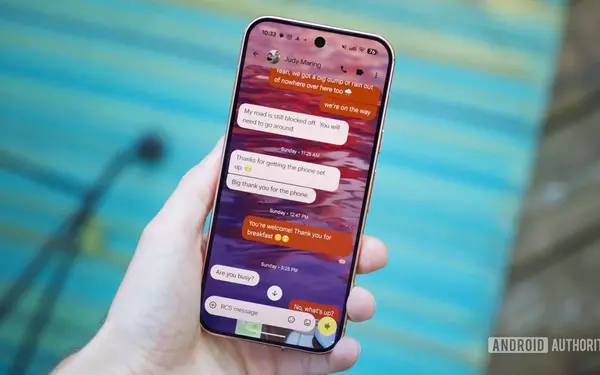
Android devices offer multiple built-in and highly accessible ways to share your live location, primarily through Google's suite of applications. These tools are often pre-installed and deeply integrated into the Android ecosystem, making them convenient for a wide range of users. Google Maps, a globally recognized navigation app, provides a robust platform for broadcasting your real-time position to contacts. This feature is particularly useful for coordinating meetings or providing journey updates, allowing recipients to track your progress directly on a map interface. The process is intuitive, letting users specify the duration of sharing and select recipients from their contact list. Similarly, Google Messages, the standard messaging app for many Android phones, now includes a real-time location sharing function, streamlining the process within ongoing conversations. This integration means you can share your location without switching between apps, enhancing convenience, especially when a quick update is needed. The Find Hub app, originally designed for locating lost devices, has also expanded its capabilities to include live location sharing, offering another structured option for keeping track of family and friends.
Each of Google's solutions for live location sharing offers unique advantages. Google Maps is ideal for detailed, map-based tracking, allowing for flexible duration settings and easy management of who can see your location. Users can initiate sharing from their profile icon, specify a sharing period (from an hour to indefinitely), and select contacts. To cease sharing, a simple tap on the contact and selecting "Stop" is sufficient. Google Messages simplifies the process by embedding location sharing directly into chat windows. This method is particularly handy for casual updates during a conversation. Initiating sharing involves tapping the plus icon, selecting "Real-time Location," accepting privacy terms, and choosing the sharing duration before sending. While the recipient may sometimes receive a link rather than a live preview depending on their messaging setup, this link-based sharing ensures compatibility across various messaging protocols. Find Hub provides a centralized platform for managing location sharing, especially for contacts with Google accounts. Users can switch to the "People" tab, select a contact, and choose a sharing duration. A notable benefit of Find Hub is its ability to notify recipients via Google Maps or email even if they don't have the Find Hub app installed, ensuring broader accessibility. These integrated solutions provide flexibility and ease of use, catering to different user preferences and scenarios while maintaining user control over privacy.
Third-Party Apps and Best Practices for Sharing
Beyond Google's native offerings, numerous third-party messaging applications provide robust live location sharing functionalities, offering alternative solutions based on user preference and contact networks. Apps like WhatsApp, Telegram, and Facebook Messenger have long supported this feature, making it a familiar option for many. These platforms allow users to share their real-time location directly within chat interfaces, often as a message attachment. The convenience of using these apps lies in their widespread adoption, as many individuals already communicate through them daily. This means that if your contacts primarily use a specific third-party app, sharing your location through that same platform can be the most seamless experience for both parties. However, a key consideration for third-party apps is the requirement that the recipient also uses the same application, which can sometimes limit universality compared to Google's link-based sharing options that work across different messaging protocols.
The method for sharing live location in third-party apps is generally straightforward and follows a similar pattern across different platforms. For instance, in WhatsApp, users can open a chat, tap the paper clip icon (for attachments), select "Location," and then choose "Share live location." They can then specify the duration for sharing before sending. While these apps offer convenience within their ecosystems, it's crucial to be mindful of privacy and security aspects. When sharing locations via links, especially in Google Messages or Find Hub, users should be aware that anyone with the link can potentially access their location. Therefore, exercising caution and only sharing with trusted individuals is paramount. The choice between Google's integrated solutions and third-party apps often comes down to specific needs and the digital habits of your contacts. Google's options, like Find Hub, offer broad compatibility and centralized management, while third-party apps are best when your social circle predominantly uses a particular messaging platform. Ultimately, understanding the features and limitations of each method allows users to make informed decisions about how and with whom they share their real-time location, balancing convenience with privacy and security.