Samsung's Good Lock modules, though not integrated by default into One UI, offer a suite of powerful customization options that significantly enhance the user experience on Galaxy smartphones. These tools allow for granular control over various aspects of the device, from display and sound settings to navigation and photography. By leveraging these modules, users can tailor their phones to their specific needs, unlocking functionalities that streamline daily interactions and boost overall productivity. The article explores a selection of these essential modules, illustrating how they address common user frustrations and provide a more personalized and efficient mobile environment.
One of the standout features offered by Good Lock is the ability to customize screen timeout and refresh rates on a per-app basis through the Display Assistant module. This solves a common issue where a universal screen timeout setting might be too short for reading or too long for general use. For instance, a user can configure a longer timeout for reading-intensive applications like PDF viewers, while maintaining a shorter duration for messaging apps, optimizing convenience and battery life. Similarly, the module allows users to dictate which applications operate at higher refresh rates, balancing smooth visuals with power consumption effectively.
Sound management receives a significant upgrade with the Sound Assistant module, enabling individual volume levels for each application. This means users can set distinct audio preferences for different apps, such as a higher volume for music streaming services and a lower one for video platforms. This eliminates the need for constant manual volume adjustments when switching between applications, contributing to a more seamless audio experience.
The RegiStar module introduces a highly sought-after back tap shortcut feature, akin to those found on other popular smartphones. Users can assign specific actions to double or triple taps on the back of their Galaxy phone, such as launching an app, taking a screenshot, or accessing specific functions within applications. This adds a new layer of intuitive control, allowing for quick access to frequently used features without navigating through menus.
For those who prefer a decluttered interface, the QuickStar module offers extensive control over the status bar. Users can hide icons they deem unnecessary, reducing visual clutter and prioritizing essential information like time and battery life. Furthermore, on newer One UI versions, this module can display a network speed indicator, a valuable tool for users who monitor their internet performance closely.
The functionality of physical buttons on Galaxy phones is expanded through the Routines+ module. By setting up custom routines, users can assign unique actions to long presses and double presses of the volume and side keys. This transforms these buttons into versatile shortcuts, capable of initiating various tasks from opening specific app sections to triggering system functions, thereby enhancing accessibility and operational speed.
The Home Up module provides much-needed customization for the recent apps screen, moving beyond the default large previews. Users can choose from different layouts, such as a grid, vertical list, or slim list, to display more applications at a glance. This significantly improves navigation and efficiency when multitasking, making it easier to switch between or close running applications.
The Share Manager within Home Up module refines the Android share sheet experience. Users can pin their most frequent contacts and applications to the share menu, ensuring that preferred sharing options are always readily available. Conversely, less frequently used apps can be hidden, streamlining the sharing process and maintaining an organized interface.
For photo enthusiasts, the Gallery Assistant module simplifies bulk photo editing. It allows users to perform actions like rotating, flipping, resizing, and watermarking up to 500 images simultaneously. This module also facilitates saving multiple images as a single PDF file and offers a size reduction tool for managing storage space, enhancing the utility of the native Gallery app.
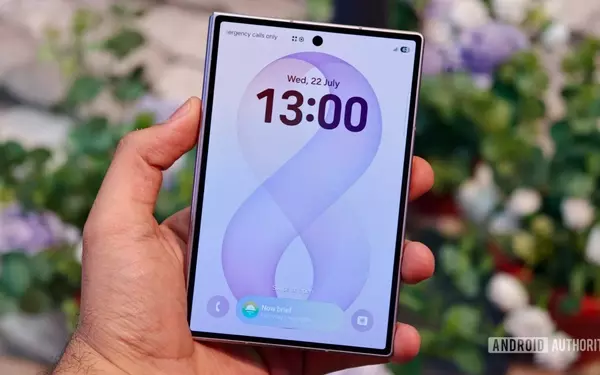
The LockStar module offers profound customization for the lock screen and Always-On Display. Beyond basic clock styles and widgets, users can add app shortcuts, emojis, stickers, and custom text. This level of personalization transforms the lock screen from a mere display into a functional hub, providing quick access to essential information and applications.
Finally, a notable feature for owners of the Galaxy S26 and Z Fold 8 series is the hidden 24MP camera mode accessible via the Camera Assistant module. This mode utilizes AI Fusion processing to combine details from higher-resolution lenses with multi-frame computational photography, offering a balanced approach to image capture. It provides a superior alternative to either excessively large 50MP/200MP files or the standard 12MP mode, delivering sharp images with reasonable file sizes.
These Good Lock modules collectively offer a profound level of customization and utility that Samsung users can leverage to personalize their devices. They fill gaps in the native One UI, providing solutions for common usability issues and empowering users with greater control over their smartphone experience. The continued development and integration of such modules highlight Samsung's commitment to offering a flexible and adaptable mobile platform.