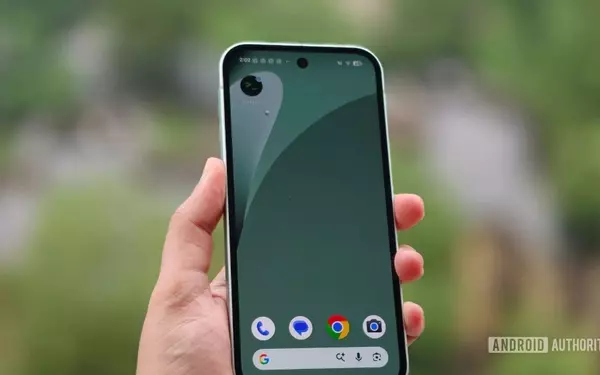
Google is on the verge of introducing a significant enhancement to its Pixel lineup, empowering users with greater control over their device's notification display. Recent discoveries within the Android Canary 2608 build reveal the development of a highly anticipated feature that will allow for personalized management of notification icons in the status bar. This upcoming functionality promises to declutter the user interface and provide a more streamlined experience, aligning Google's offerings with similar customization options already present in competitor devices.
This innovative feature, currently under wraps but hinted at through software code, will offer users three distinct choices for how notification icons appear. Whether users prefer a comprehensive view of all incoming alerts, a focused display showing only critical notifications, or a completely minimalistic status bar devoid of any icons, Google's new system is designed to cater to individual preferences. This move is poised to elevate the user experience on Pixel phones, granting them unprecedented authority over their device's visual feedback.
Enhanced Notification Management on Pixel Devices
The latest Android Canary 2608 build has unearthed evidence of Google's endeavor to integrate advanced notification icon customization into its Pixel devices. This highly anticipated feature will introduce a dedicated 'Notification icons' toggle, allowing users to fine-tune the visibility of alerts displayed in their status bar. This control panel will present a trio of options: 'All' for comprehensive icon display, 'Priority only' to highlight crucial notifications, and 'None' for a completely clean and minimalist status bar. This granular control is a direct response to user demand for more personalized and less obtrusive notification management, aiming to refine the overall user interface experience on Pixel smartphones.
Upon activation, the 'Notification icons' setting will enable users to select their preferred display mode, significantly impacting how information is conveyed through the status bar. Choosing 'All' ensures every notification icon is visible, while 'Priority only' intelligently filters notifications, showcasing only those deemed important or urgent by Android's built-in classification system. For those who prioritize an uncluttered screen, the 'None' option will effectively hide all notification icons, providing a clean aesthetic. This development not only enhances user customization but also brings Pixel devices in line with other Android OEMs such capabilities, addressing a long-standing desire for more sophisticated notification controls within the vanilla Android experience.
Aligning with Industry Standards for Status Bar Control
Google's upcoming notification customization feature for Pixel devices marks a crucial step in matching capabilities already offered by other leading Android manufacturers. Rivals such as OnePlus and Samsung have long provided users with granular control over how notification icons appear in the status bar. For instance, OnePlus allows users to choose between displaying icons, a numerical count, or no indicators at all, while Samsung offers options for icons, a subtle dot, or complete invisibility. Xiaomi further diversifies this by permitting users to select the number of icons displayed, from none to a maximum of three.
By introducing similar comprehensive options—'All,' 'Priority only,' and 'None'—Google aims to bridge this gap, ensuring that Pixel and stock Android users no longer miss out on the advanced personalization features prevalent elsewhere in the Android ecosystem. This strategic enhancement not only improves the daily usability of Pixel devices but also reinforces Google's commitment to user-centric design and customization. While the exact timeline for this feature's public release remains unconfirmed, its integration is highly anticipated, promising a more refined and adaptable notification experience for Pixel owners, bringing them on par with the versatile offerings of other Android device manufacturers.